AI SEO Keyword Research: From Validated Queries to Agent-Ready Pull Requests
A production pipeline for AI SEO keyword research that turns validated queries into scored page opportunities and coding-agent prompts.

You've got a product that solves a real problem, a repository full of reusable components, and a coding agent that can ship a page before lunch. What you don't have is confidence that the next page deserves to exist. Your keyword export contains thousands of rows, your team debates volume in Slack, and every “SEO task” still ends with someone manually converting a spreadsheet into a brief.
That seo workflow breaks down because AI SEO keyword research isn't finished when an agent suggests phrases. It's finished when validated queries become scoped page opportunities, then become prompts that Claude Code, Cursor, or another coding agent can execute as a reviewed pull request.
Introduction to AI SEO Keyword Research Workflow
A small B2B SaaS team can move from a few product concepts to a buildable content queue without hiring a full-time SEO specialist. The key is to treat research as a production pipeline, not a quarterly audit. Seeds become candidates, candidates become intent-mapped clusters, clusters become scored page opportunities, and each approved opportunity becomes an implementation prompt.
That distinction matters for founders and developers. A static spreadsheet tells you what might be worth targeting. A repository-ready workflow tells an agent which page to create, where it belongs, what questions it must answer, and how to open a pull request without changing production.
Google still matters at scale. Its global search share was reported at 89.34%, and more than 95% of Americans use search monthly, according to AI SEO statistics from Omniscient Digital. At the same time, Google AI Overviews appeared in 13.14% of U.S. desktop searches in March 2025, up from 6.49% in January 2025, so your workflow needs to monitor both classic rankings and AI-mediated discovery.
Generate Expand and Validate Keyword Ideas
Start with five to ten seed queries that describe your product, the jobs it supports, or the problems your buyers already recognize. For a developer tool, seeds might cover a feature, an integration, a workflow, an alternative category, and a user question. Don't start with a giant list. Start with terms that expose the relationship between your product and a real job.
A practical expansion prompt should constrain the agent instead of asking for “SEO keywords” in the abstract:
Expansion prompt: Given these seed queries, generate related queries across informational, commercial, transactional, and navigational intent. Include problem statements, implementation questions, comparisons, alternatives, integrations, and audience-specific use cases. Return one row per query with the seed, intent hypothesis, audience, product relationship, and a short reason the query may matter. Do not invent search volume or difficulty.
The output is a candidate set, not a target list. That distinction prevents a language model from turning plausible wording into fake demand. The distribution of search demand explains why broad volume-first research misses so much: 94.74% of keywords receive 10 or fewer monthly searches, while only 0.0008% exceed 100,000 monthly searches, as documented in Ahrefs' SEO statistics. An agent can inspect thousands of narrow variants more consistently than a person reviewing a spreadsheet, then identify groups whose combined intent supports one useful page.

Validate demand before you plan a page
Validation needs live evidence. Add search volume, keyword difficulty, CPC where available, current ranking data, SERP format, and Google Search Console metrics to each candidate. If you use the Orchory AI Keyword Research Tool, treat its output as structured planning input, then retain the same validation gates before a page enters your build queue.
Use Google Search Console to find queries your site already receives impressions for, including variations your seed list missed. Export the data, normalize spelling and capitalization, and join it to your candidate table by query or a manually reviewed variant map. A simple query might look like:
SELECT query, SUM(impressions) AS impressions, SUM(clicks) AS clicks,
       AVG(position) AS avg_position
FROM search_console_queries
WHERE query IS NOT NULL
GROUP BY query;
That SQL is a processing pattern, not a claim about a particular Search Console schema. Your connector may use different field names.
Discard candidates when the intent has no relationship to your product, the SERP format conflicts with the page you can ship, or the term is dominated by an authority and format your team can't realistically match. Keep low-volume queries when they represent a precise buyer problem and can share a page with related variants. The right output is a cleaned candidate set with evidence, not an impressive keyword count.
Map Intent and Cluster Keywords
A query's wording tells you less than the result page. Classify every candidate into informational, commercial, transactional, or navigational intent, then inspect whether the current SERP serves the same job. “Best laptop for students,” for example, is commercial because the searcher is evaluating a future purchase, not completing one immediately, as explained in Mangools' guide to search intent.
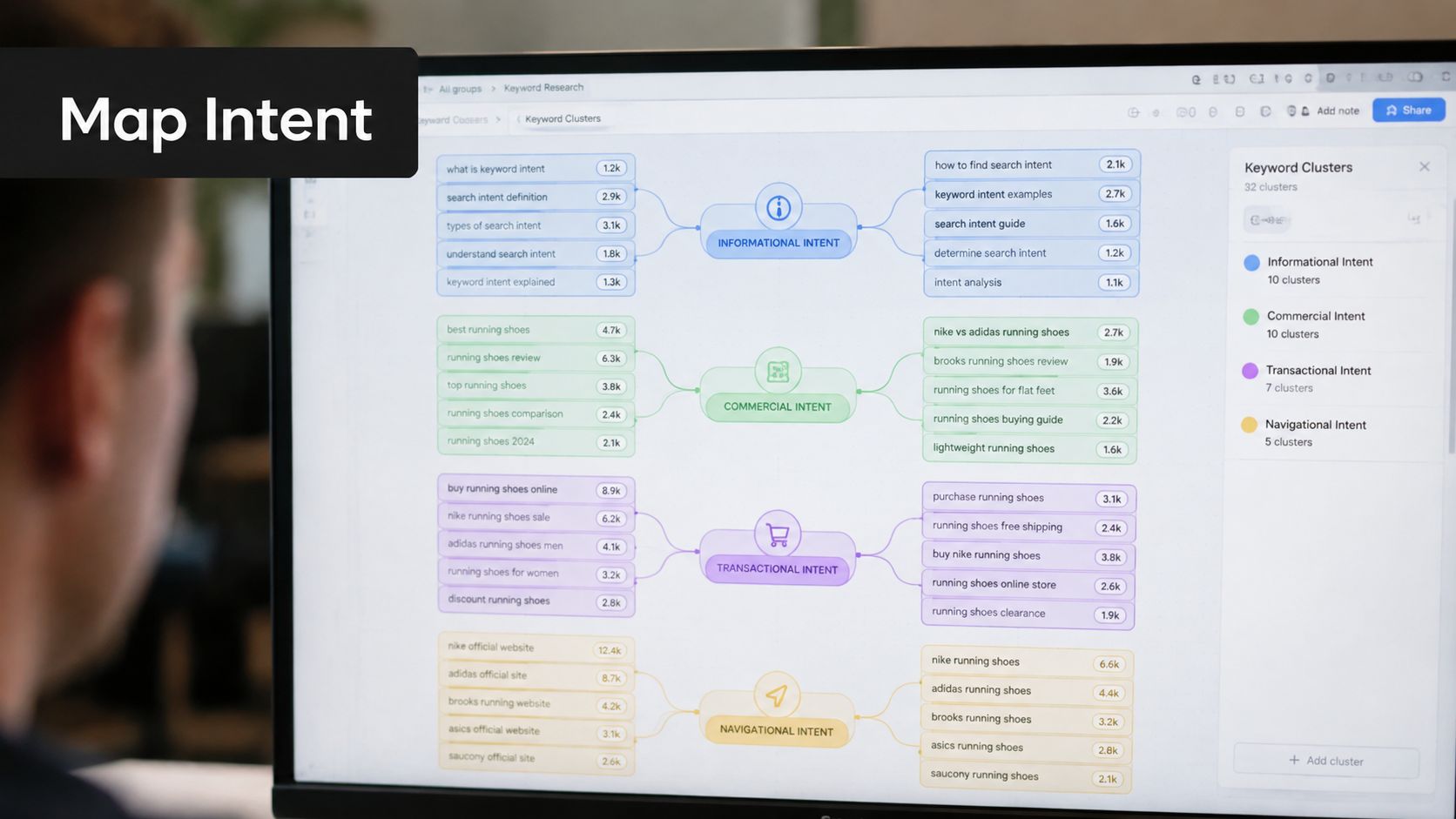
Give an agent explicit classification criteria. Ask it to review the query, the available SERP title patterns, result types, and the likely next action. A useful record contains:
- Intent label: One primary category, plus a confidence note.
- Page format: Comparison, use case, tutorial, glossary, integration, or product page.
- Audience and job: Who is searching and what they need to accomplish.
- SERP signals: Featured snippets, product results, discussion results, videos, or mostly editorial pages.
- Exceptions: Any evidence that the query carries mixed intent.
Don't cluster by words alone. Semrush's keyword clustering guidance defines clustering around shared intent and SERP similarity, so one page can serve related queries without splitting them across competing URLs. The practical sequence is intent first, SERP overlap second. Similar wording can still require separate pages if one result page favors a tutorial and another favors vendor comparisons.
For SERP overlap, represent each query by the URLs appearing in its result set. Compare two queries by the number of shared URLs, then apply a threshold your team has chosen, such as three or four overlapping results. That threshold is a starting rule, not a universal truth. Manually merge near-duplicates, split mixed-intent groups, and inspect the top results before assigning a URL.
<iframe width="100%" style="aspect-ratio: 16 / 9;" src="https://www.youtube.com/embed/IqI-3sEu6kQ" frameborder="0" allow="autoplay; encrypted-media" allowfullscreen></iframe>A cluster should produce a page scope a developer can understand. “Pricing comparison” might require vendor matrices, plan differences, and decision criteria. “How to configure the integration” needs prerequisites, implementation steps, examples, and troubleshooting. If the same cluster can't answer one coherent job, split it before production.
Score and Prioritize Keyword Opportunities
A ranked queue is more useful than a report because it forces trade-offs. Score clusters on evidence you can inspect: demand, difficulty, current visibility, business fit, page effort, and SERP compatibility. Avoid pretending the score predicts traffic precisely. Its job is to make assumptions visible and help a small team choose what to ship next.
Google Search Console defines an impression as a time when a user saw, or potentially saw, a site link in Google Search, Discover, or News. It defines position as the topmost position occupied by a property link, averaged across queries where it appeared. A click occurs when a user leaves the SERP for the site, and average CTR is clicks divided by impressions, multiplied by 100, according to Google's Search Console performance documentation.
Build a transparent score
Use normalized fields rather than hiding judgment inside an opaque model. One practical structure is:
| Signal | Question | Decision use |
|---|---|---|
| Demand | Is there validated search activity? | Separate evidence from speculation |
| Difficulty | Can the current site compete with the SERP? | Adjust expected effort |
| Business fit | Does the query connect to a product job? | Protect against vanity traffic |
| Existing visibility | Does Search Console show impressions or clicks? | Prioritize refreshes and expansions |
| Page effort | Can the team produce the required format? | Match opportunity to capacity |
| SERP fit | Can the site deliver the dominant result type? | Reject mismatched page ideas |
You can calculate a working priority score as a weighted combination of normalized demand, fit, visibility, and feasibility, minus difficulty and effort. Keep the weights in a versioned configuration file so your team can change them after observing real click behavior rather than changing decisions in a spreadsheet.

Search Console's average position is an arithmetic average across impressions, not one fixed ranking. It's useful for tracking a query group over time, but it shouldn't decide whether you build a page without query-level and page-level segmentation, as discussed in this Search Console performance analysis.
A queue entry should include the cluster, primary query, supporting queries, intent, proposed URL, page type, evidence, score, dependencies, and owner. Teams can also use Orchory Free SEO Tools as part of their broader research process, while keeping the final prioritization tied to their own data and repository capacity.
Create Production Ready Prompts for Agents
The handoff is where most workflows built around ai agents lose their value. A keyword cluster becomes useful only when a coding agent can turn it into a scoped change without asking the founder to rewrite the brief manually.
Create a prompt template with structured variables:
- Cluster: Primary query, supporting queries, and intent.
- Page contract: URL, title direction, required sections, entities, and internal links.
- Product context: The feature or workflow the page must explain accurately.
- Repository rules: Framework, content directory, frontmatter schema, lint commands, and preview command.
- Acceptance criteria: Metadata, headings, links, accessibility, tests, and pull request requirements.
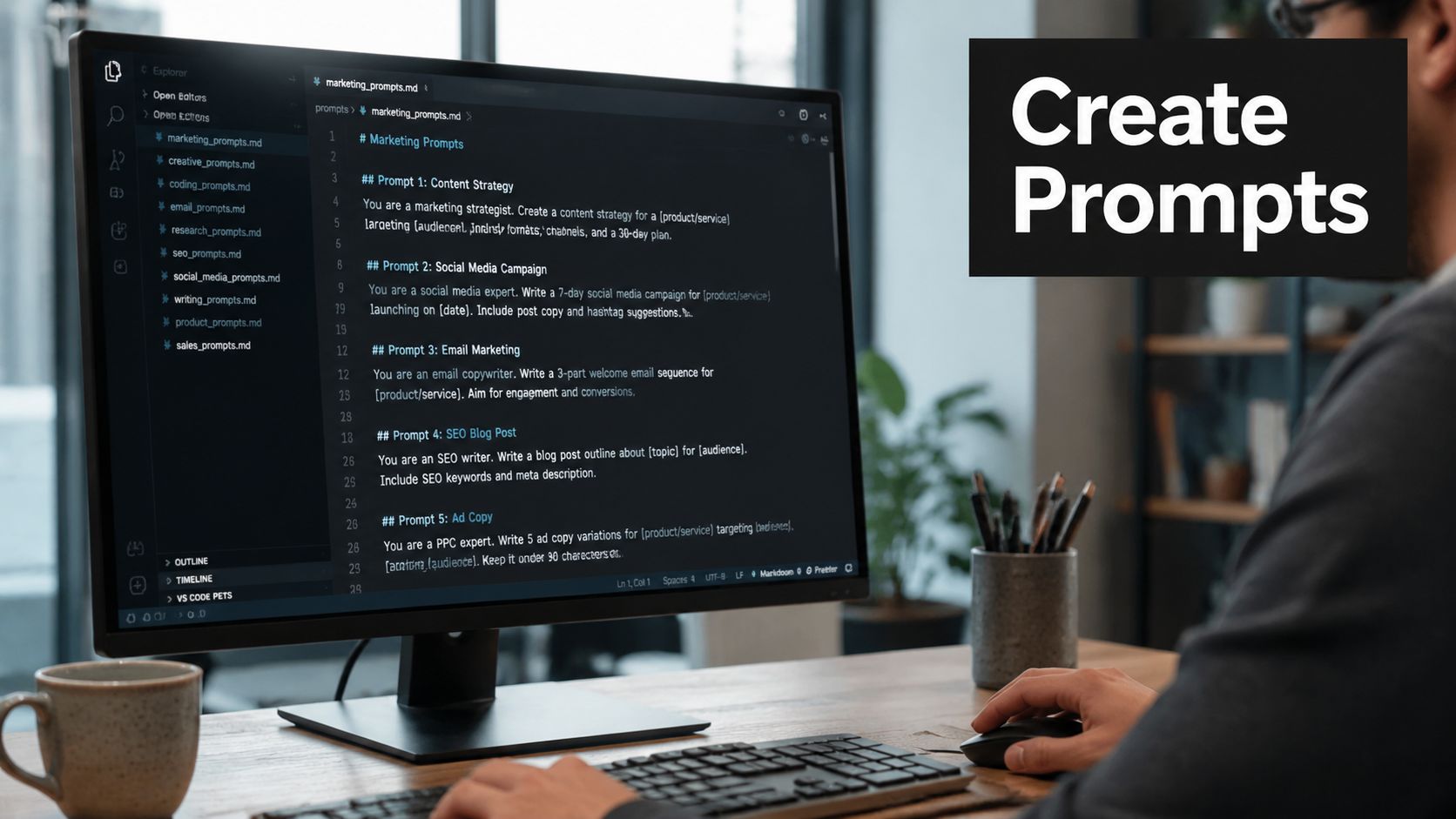
A production prompt might tell Cursor or Claude Code to create a Markdown file from the cluster record, preserve the repository's frontmatter, use the assigned URL, cover each user question once, add approved internal links, run the existing checks, and open a branch and pull request. It should also tell the agent what not to do, such as inventing search volume, unsupported product capabilities, testimonials, or performance claims.
Prompt contract: The agent can draft and modify files, but it can't merge, publish, change routing conventions, or add unsupported claims without reviewer approval.
Parameterization makes this repeatable. Store cluster records as JSON or CSV, render them into prompts, and pass one opportunity per run. A useful output contract includes the changed file list, a summary of keyword-to-section mapping, validation results, unresolved questions, and the pull request URL.
Before review, run the site locally and inspect the rendered page. Check canonical behavior, title and description output, heading hierarchy, links, structured content, and mobile layout. Then ask the agent to report failures instead of silently patching unrelated files.
This approach fits a broader content production workflow for coding agents, where research outputs become implementation instructions and review remains inside Git. Nightwatch's AI keyword research guide makes the same operational point: AI suggestions need live volume, SERP competitiveness, content-format checks, and rank tracking before publication. Discovery is fast. Approval still belongs to the team.
Implementation Tips and Common Pitfalls
Reliability matters more than automation volume. Store the raw research response beside the normalized cluster data, record when validation ran, and keep cluster changes in version control. When a query moves between clusters, write the reason in a changelog instead of overwriting the old state.
Set CI checks for the fields your agent must produce. Fail the pull request if frontmatter lacks a target URL, intent, primary query, or page type, or if the generated file contains malformed links. Run the same checks for human-authored pages so the SEO pipeline follows repository rules rather than becoming a special exception.
Prompt drift is a quieter problem. A model may gradually change headings, add unsupported claims, or reinterpret a page type after the template changes. Pin the prompt template, review diffs, and keep product facts in a small approved context file.
The bigger strategic gap is AI visibility, not another undifferentiated keyword list. Search Engine Land's gap analysis guidance recommends checking prompts and AI responses where competitors appear but your site doesn't, then turning missing topics and answer formats into content updates. Semrush reported AI Overviews on 6.49% of searches in January 2025 and 13.1% in March 2025, so a backlog that tracks only traditional queries can miss how discovery is changing.
Run prompt checks against your core buying questions, record which sources and formats appear, and add those observations to the same opportunity queue. Don't let “AI visibility” become a separate dashboard with no owner. If the finding doesn't create a page change, an update, or a better internal link, it hasn't entered the execution system.
Conclusion and Next Steps
A practical ai seo keyword research loop has six moving parts: seed expansion, evidence validation, intent mapping, SERP clustering, opportunity scoring, and agent-ready implementation prompts. Each stage removes a different failure mode. Expansion finds narrow demand, validation removes invented or irrelevant targets, clustering prevents competing pages, scoring creates a queue, and prompts convert that queue into reviewed code.
Run the pipeline weekly so your priorities can respond to new Search Console signals, changing result formats, and prompt-derived visibility gaps. Keep the queue in your repository, version the scoring weights, and compare predicted priority with actual clicks and page performance. Google AI Overviews and other AI discovery systems will keep changing the surface area, but a controlled research-to-pull-request loop gives your team a stable way to respond.
Start with one seed set today. Validate it, create one cluster record, generate one implementation prompt, and ask your coding agent to open a pull request.
Orchory runs keyword expansion, validation, clustering, scoring, and queue refreshes, then outputs ready-to-run prompts for coding agents such as Claude Code and Cursor. Visit Orchory to connect this research workflow to your repository while keeping every production change behind pull request review.
FAQs
What does it mean for AI SEO keyword research to be 'finished'?
How many seed queries should I start with?
Why shouldn't I cluster keywords by shared words alone?
What should a scoring model for keyword opportunities include?
What guardrails should a production prompt for a coding agent include?